
Your calendar already holds a page for every day of your life. Until now, it only knew where you had to be. Journal Lane lets it remember what the day meant.
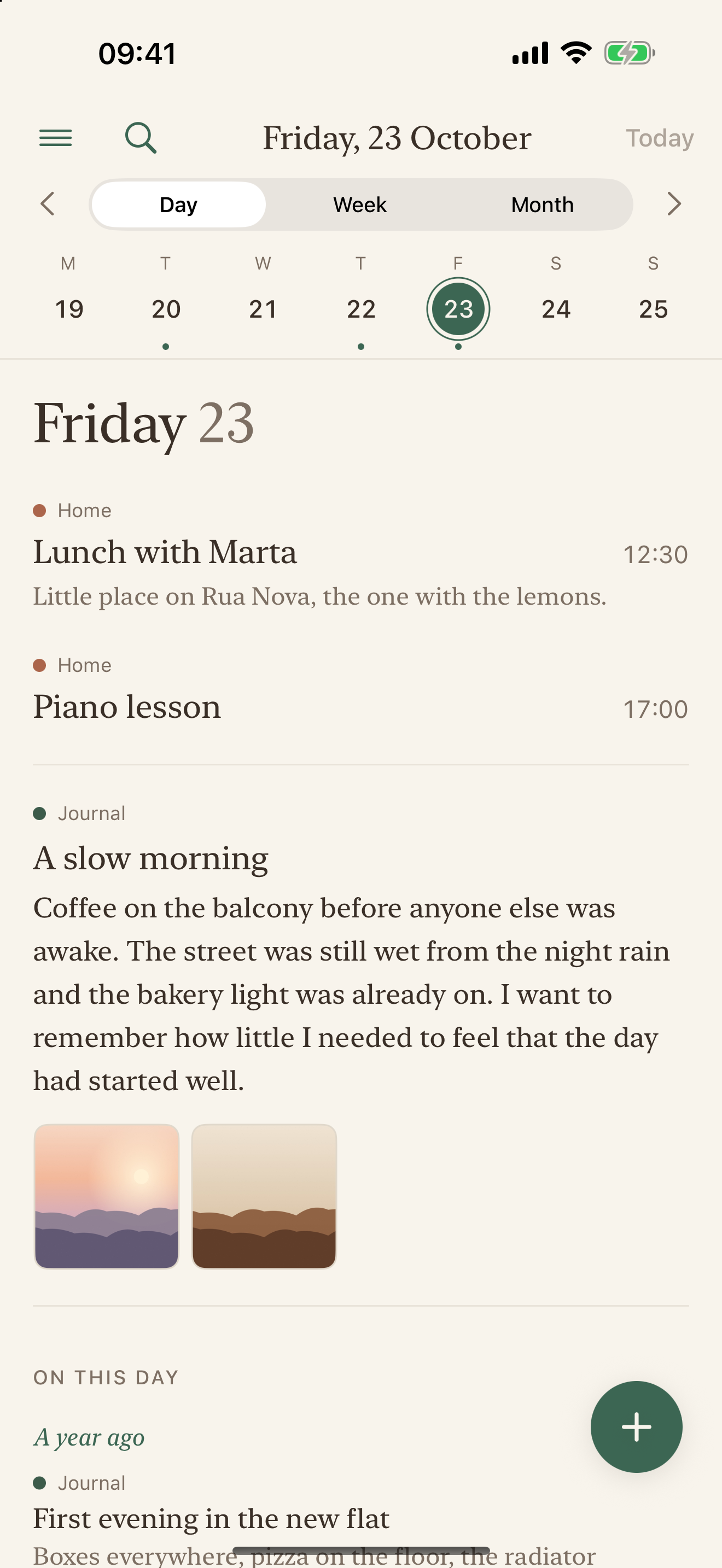
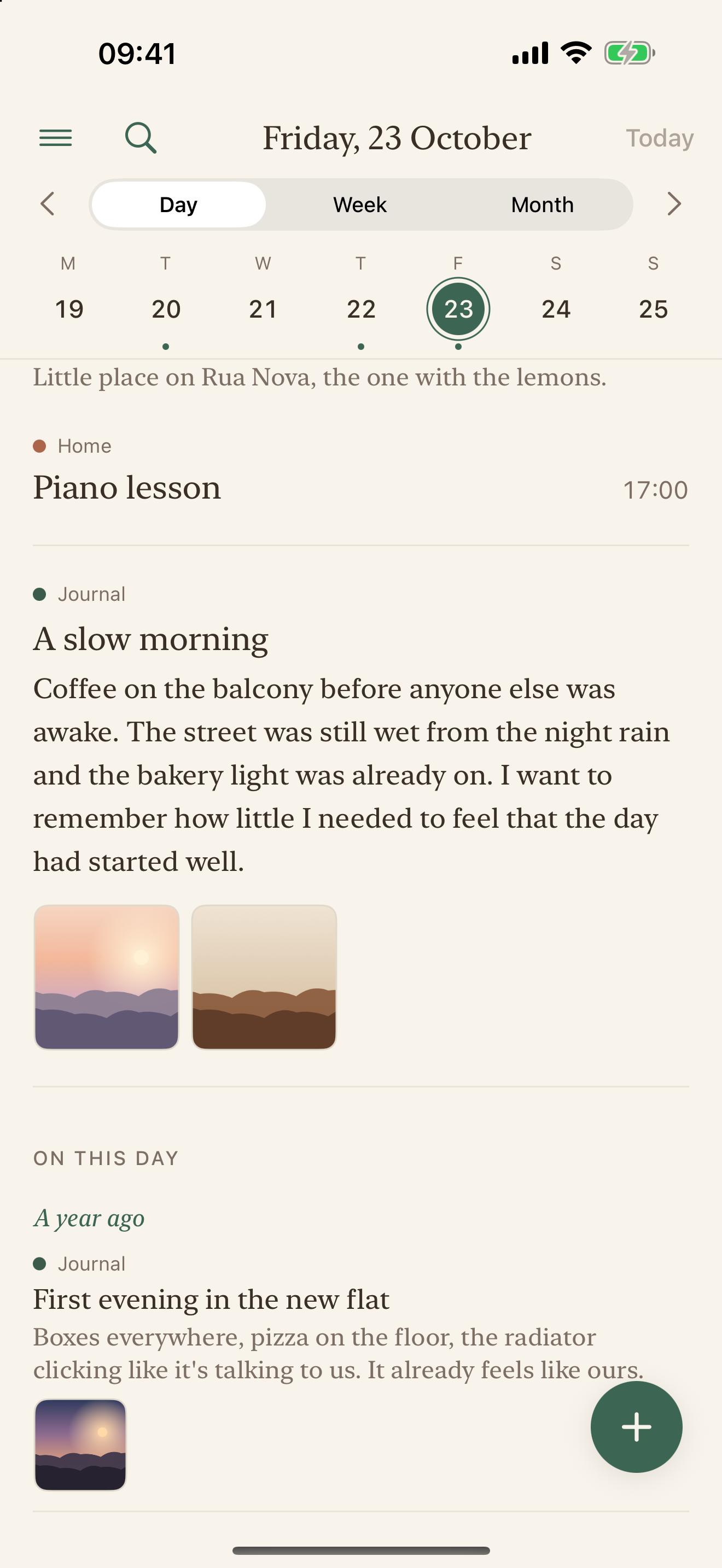
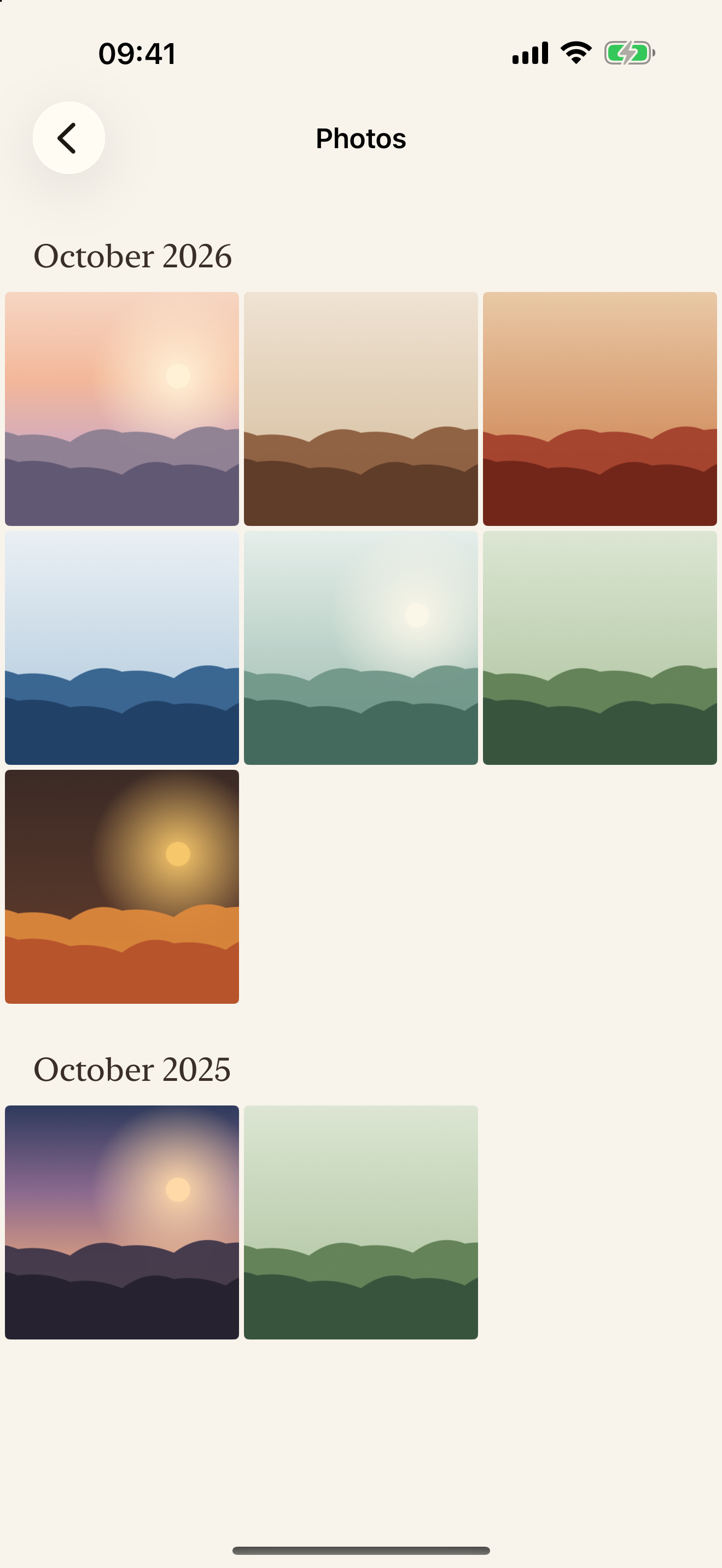
Your journal, in your own calendar.
Every entry is a quiet all-day event in a calendar of its own, “Journal Lane”, in your Apple or Google account. Every photo is a plain file in your own iCloud Drive or Google Drive, named by its date. Nothing lives on our side, because there is no our side. Sign in on another iPhone or iPad and the same journal is there. If Journal Lane disappeared tomorrow, your journal would stay exactly where it is, readable in any calendar app.
One page for every day.
Open the app on today's page, the way you'd open a diary to the date. Write a line or a page, add photos from your library, the camera or Files, and see your day around it.
The pleasure of looking back.
- On this day: what you wrote on this date one, two, ten years ago.
- Year at a glance: a year of quiet dots, filling with ink as you write.
- Photos: every photo you kept, month by month.
- Search: find any day again, across the years.
- Lane: read your journal back as one gentle stream.
Keepsakes that are truly yours.
Turn any month into a bound PDF, or take your whole journal with you as plain Markdown files in tidy folders by year and day.
Quiet by design.
No streaks, no badges, no prompts, no AI. No account with us, no server of ours, no analytics, no ads, no trackers. It waits for you.
Works with
Apple Calendar and iCloud Drive, or Google Calendar and Google Drive: connect the one you use. Journal Lane writes only to its own “Journal Lane” calendar; your other calendars show beside your pages and stay exactly as they are.
Your privacy.
Journal Lane talks only to your own calendar and storage, directly from your iPhone. Read the privacy policy.
A simple tool for a clearer mind, by Lucanise.
A journal you never have to move again
Most journaling apps ask you to trust them with years of your life. Your words go into their database, in their format, behind their login. Then the app changes its terms, gets bought, shuts down, or simply stops being updated, and you face the same choice every journal-keeper eventually faces: export what you can, or lose it.
Journal Lane was built so that choice never comes. Your journal isn't stored in Journal Lane at all. Every page is an ordinary all-day event in a calendar of its own, “Journal Lane”, in the Apple or Google account you already keep, and every photo is an ordinary file in your own iCloud Drive or Google Drive, named by its date. Journal Lane is just a calm, beautiful way to write those pages and read them back.
Why a calendar is the right home for a journal
- It already has a page for every day of your life. A journal is a record of days; a calendar is the one place that already organises days, across decades.
- It's the app you'll still have in twenty years. Calendars outlive apps. They move with you to every new phone, sync across your devices, and open in dozens of apps.
- Your day and your thoughts sit together. The lunch at 12:30, the call at five, and what you wanted to remember, on the same date.
- It's open. Calendar events and files in your drive can be read by any calendar app, any file app, and any tool you choose later.
If you stop using Journal Lane, nothing is lost
Delete the app, change phones, or come back in ten years: your journal is still in your calendar and your drive, exactly where you left it. There is nothing to export and nothing to rescue, because nothing was ever held anywhere else. When you do want a copy in your hands, Journal Lane makes plain Markdown files with your photos next to them, or a bound month as a PDF.
Private by design, not by promise
- No account with us. No server of ours. No analytics, no ads, no trackers.
- The app talks only to your own calendar and storage, directly from your iPhone. We never see what you write.
- Photos are re-saved without location data before they reach your drive.
- With Apple Calendar only, Journal Lane works fully offline, even in Airplane Mode.
Who Journal Lane is for
- People who have lost a journal before, to a dead app, a lost notebook or a locked account, and don't want it to happen again.
- People who want a daily journal they can keep for decades, not a feature they'll outgrow.
- People who already live in their calendar and want the day they lived next to the day they planned.
- People who want a private journal without handing their life to another company.
Questions
Where are my journal entries stored?
In your own calendar, as all-day events in a calendar named “Journal Lane”: the entry's title is the event title and your text is the event's notes. Photos are files in your own iCloud Drive or Google Drive, in a Journal Lane folder, named by date (for example 20261018-sunday-walk.jpg). Journal Lane keeps no copy anywhere else.
What happens to my journal if Journal Lane disappears?
Nothing. Your pages stay in your calendar and your photos in your drive, readable in any calendar or files app. Nothing depends on Journal Lane continuing to exist.
Can I keep a journal in Google Calendar or Apple Calendar?
Yes. That's exactly what Journal Lane does: it turns the calendar you already use into a journal, with a writing page, photos, On this day memories, a Year view, Search and a Photos view.
Is Journal Lane private?
There is no account with us, no server of ours and no tracking. Your journal travels only between your iPhone and your own Apple or Google account, under that provider's privacy terms. We never see what you write.
Will my journal clutter my calendar?
No. Pages are quiet all-day events that don't mark you as busy, in one calendar just for your journal, “Journal Lane”. Show or hide it any time, in any calendar app. Journal Lane never changes your other calendars.
Can I export my journal?
Yes, any time: as Markdown files in folders by year and day, with your photos next to them, readable in any text editor or in Obsidian. You can also turn any month into a printable PDF.
Does Journal Lane use AI, streaks or prompts?
No. No AI, no streaks, no badges, no guided prompts, no notifications. It waits for you.
Can I use it on several devices?
Yes. Sign in with the same Apple or Google account on another iPhone or iPad and the same journal is there, every page and photo. Journal Lane finds its “Journal Lane” calendar again; it never makes a second one.
I also see my Google Calendar inside Apple Calendar. Will that conflict?
No. If you connect Apple, your journal lives in iCloud (or on your iPhone), never inside a Google or Exchange calendar synced to your iPhone. Those calendars are only shown beside your pages. If you connect Google, Journal Lane talks to Google directly. Either way there is one journal, in one place.
Journal Lane is a tool by Lucanise: simple tools for a clearer mind.